AI data analytics · Connected to your database
Your database.
An AI analytics workspace.
Connect your database or import a CSV. Ask an assistant that understands your model, report, and reference files to build complete HTML pages and native dashboards. Inspect the queries and source, refine the result, and share it with your organization and teams.
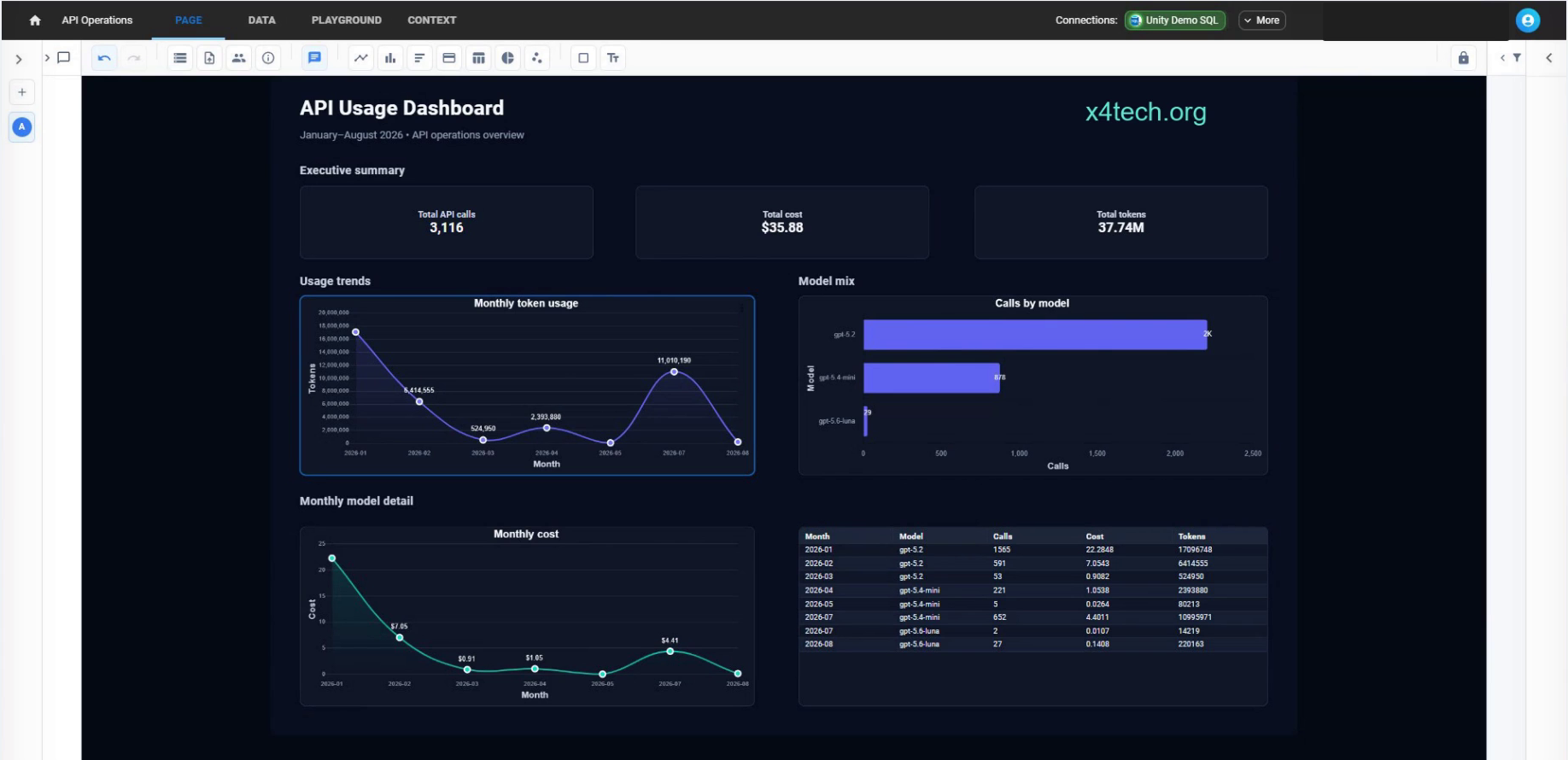
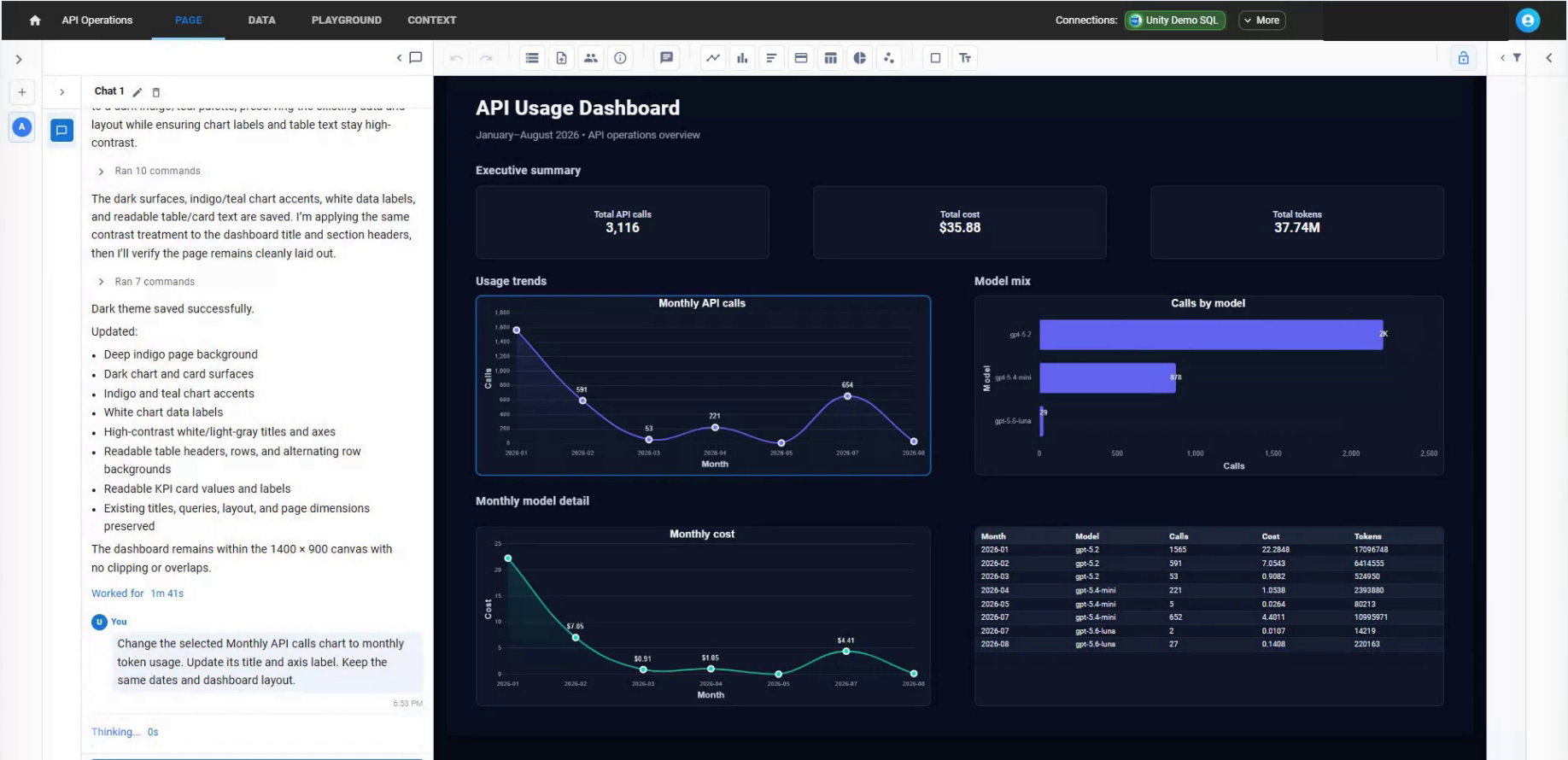
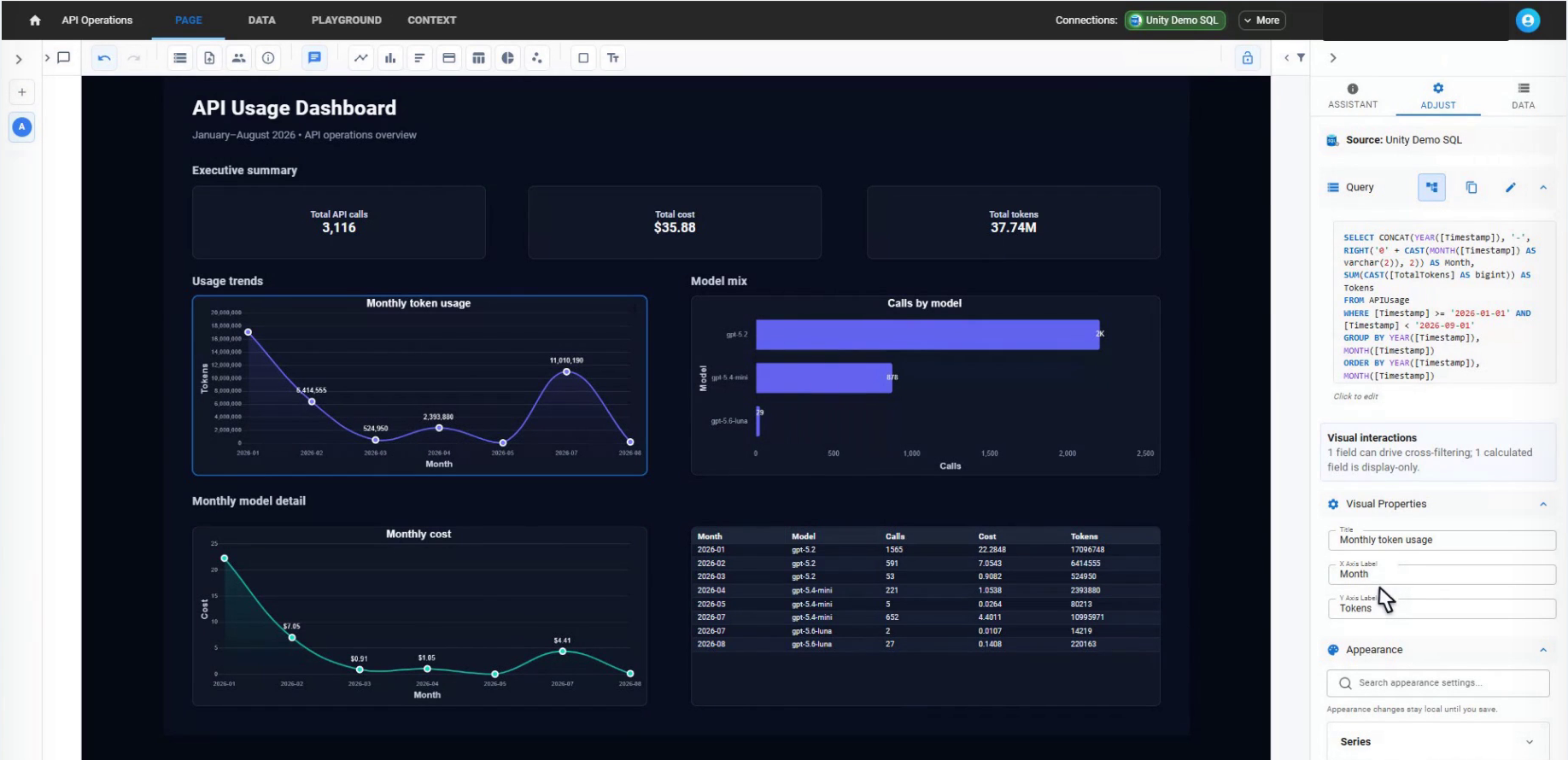
Persistent report objects. Inspectable queries. Direct controls for the next change.
How the pieces fit
From schema to SQL.
From conversation to a workspace.
The assistant uses your data model, entire report, and reference files. It queries, authors, renders, and refines pages you can keep working with.
- Your dataDatabases · CSVs · Public data
- Data modelEntities, relationships, measures
- AI + contextReport, model, instructions, files
- Query + verifyExecution and rendered previews
- Editable reportsNative and HTML pages
The capabilities catalogue
Understand what you can build.
Build a report
A complete quickstart for the agentic loop: inspect, query, author, render, test, repair, and refine.
HTML reportsHTML pages
Create custom live pages, inspect source, render and test them, and restore saved versions.
AI and conversationsReference files and images
Attach documents and templates, inspect their contents, reuse original images, and work across conversations.
Connected dataSemantic models
Configure entities, relationships, calculated fields and tables, reusable and typed measures, validation, and definition usage.
Working with a teamOrganizations
Create an organization, manage people and policy, and understand private company reports.
Working with a teamSharing and access
Assign report roles, set team sharing limits, inspect effective access, and manage grants.
Built for technical teams
Ask how it works.
See the answer in the product.
Inspect the query behind a chart. Understand what context reaches the assistant. Organize multiple pages and conversations, then share a report with the people who need it.
Our catalogue explains the mechanisms, controls, and boundaries so you can evaluate Unity with your own data.
Understand the data flowExplore Unity with your team
Your source. Your questions.
A workspace to build on.
Connect with us about a design-partner pilot.